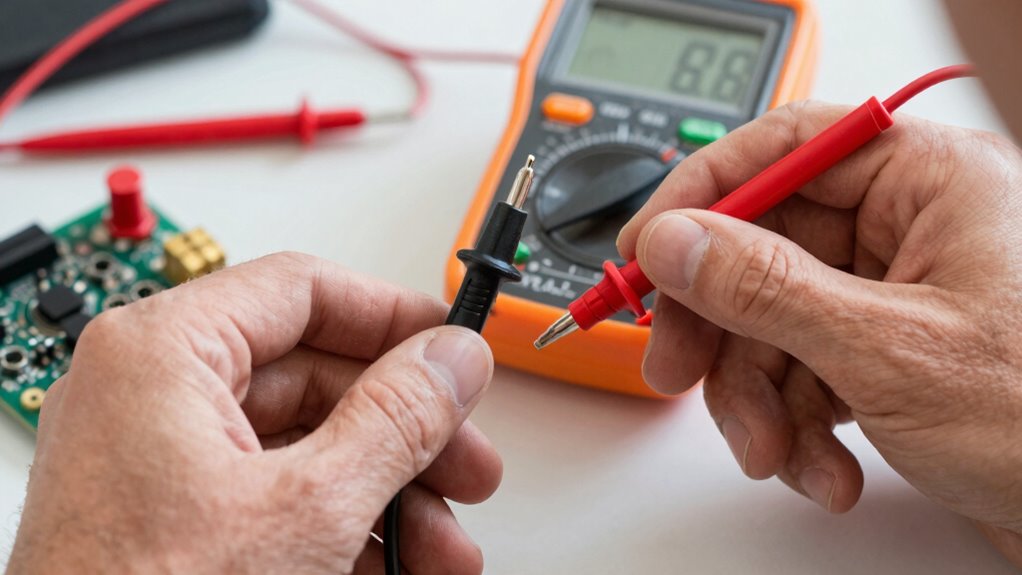

To validate a sensor without fancy equipment, start by understanding its specs and normal behavior. Use simple reference points like ice water or boiling water for temperature sensors, or known light sources for light sensors, ensuring conditions are consistent. Take multiple measurements and compare them to expected values, observing for fluctuations. Perform real-world tests under typical environmental conditions to confirm proper response. If you want detailed steps, you’ll find useful tips as you continue further.

Get health and wellness essentials delivered free with Prime
- Fast, free delivery on millions of items
- Prime Video, Amazon Music and more included
- Member-only deals all year
Key Takeaways
- Use known, simple reference points like ice water or boiling water to compare sensor readings.
- Take multiple measurements at each reference to ensure consistency and identify anomalies.
- Record environmental conditions (temperature, humidity) that may affect sensor accuracy during testing.
- Cross-validate sensor data with other reliable, inexpensive reference sensors or standards.
- Perform functional tests in real-world environments to observe sensor response under typical conditions.

Validating a sensor is a crucial step to guarantee it provides accurate and reliable data for your application. You don’t always need expensive equipment or specialized labs to verify if your sensor is functioning correctly. Instead, simple methods can help you confirm its performance and ensure trustworthy readings. The key is to establish a clear baseline and compare your sensor’s output against known standards or conditions.
Start by understanding the sensor’s specifications and expected behavior. Knowing its measurement range, sensitivity, and response time helps you identify what constitutes a normal reading. For example, if you’re testing a temperature sensor, you should be aware of its minimum and maximum operating temperatures. This knowledge guides your validation process, making it easier to interpret the data you collect.
Understanding sensor specs helps interpret data and ensures accurate validation.
Next, identify a controlled environment or conditions where you can perform your tests. For temperature sensors, you might use ice water for a low reference point and boiling water for a high reference point — both of which are easy to prepare and reproducible. For other sensors like light or humidity sensors, use well-known reference sources such as a standard light bulb or a sealed container with a known humidity level. These benchmarks give you a reliable baseline to compare against your sensor’s readings.
When you take measurements, record multiple readings at each reference point to account for variability. Consistency is key: if your sensor’s readings fluctuate wildly or don’t align with the known values, it indicates an issue. If the readings are close to the expected values, you can be more confident in its accuracy. Keep notes of your measurements and any environmental factors that might influence them, such as ambient temperature or vibrations.
It’s also helpful to perform a functional test by subjecting your sensor to real-world conditions similar to its intended use. For example, if you plan to use a humidity sensor outdoors, test it in an outdoor environment or simulate conditions with a spray bottle or humidifier. Observe whether the sensor responds as expected and whether the readings change smoothly with environmental shifts.
Additionally, understanding the sensor’s behavior in various conditions can help you identify potential faults or calibration needs. Comparing your sensor’s data with other validated sensors or reference devices, if available, can further confirm its reliability. Even inexpensive, off-the-shelf sensors can serve as benchmarks. If there’s a significant discrepancy, consider calibration or investigate potential faults. This practical approach allows you to validate performance without costly equipment, ensuring your sensor delivers trustworthy data for your application.
digital temperature sensor calibration kit
As an affiliate, we earn on qualifying purchases.
As an affiliate, we earn on qualifying purchases.
Frequently Asked Questions
Can I Validate a Sensor Outdoors Without Specialized Tools?
Yes, you can verify a sensor outdoors without specialized tools by comparing its readings to known standards or environmental conditions. For example, use a reliable reference device or natural benchmarks like a thermometer for temperature sensors or a clear, stable light source for light sensors. Keep conditions consistent, record multiple readings, and see if your sensor’s data aligns with expected values. This practical approach helps ensure your sensor’s accuracy in real-world settings.
How Often Should I Validate My Sensors?
You should validate your sensors regularly, ideally every few weeks or monthly, depending on their criticality and environment. Frequent checks help guarantee accuracy and catch drifting readings early. If your sensors operate in harsh conditions or are essential for safety, more frequent validation is advisable. Keep a schedule, record the results, and compare readings against known standards or reference points to maintain peak performance over time.
What Are Common Signs of a Faulty Sensor?
Like a sailor noticing rough seas, you’ll see signs of a faulty sensor in inconsistent readings, sudden jumps, or no response at all. If your data seems erratic or doesn’t match real-world conditions, it’s a red flag. Calibration errors, frequent false alarms, or unexpected shutdowns also suggest issues. Trust your instincts—these clues help you catch problems early and keep your system running smoothly without fancy tools.
Is Calibration Necessary After Validation?
Yes, calibration is necessary after validation. Validating a sensor confirms it’s functioning correctly, but calibration guarantees it provides accurate measurements over time. Even if your sensor passes validation, environmental changes or usage can affect its accuracy. Regular calibration maintains precision and reliability, especially in critical applications. You should calibrate your sensor periodically or if you notice discrepancies, to keep your data trustworthy and your system operating smoothly.
Can Sensor Validation Be Done During Operation?
Did you know that over 60% of sensor errors occur during operation? Yes, you can verify a sensor while it’s working, which helps catch issues early and ensures continuous accuracy. By comparing real-time data with known reference points or historical trends, you can assess its performance without stopping processes. Regular in-operation validation keeps your measurements reliable, saving you time and preventing costly errors down the line.
As an affiliate, we earn on qualifying purchases.
Conclusion
Validating a sensor without fancy equipment is simpler than you might think. By using basic methods like comparing readings with known standards or using simple test setups, you can get reliable results. Remember, you don’t need to reinvent the wheel—trust your instincts and keep things straightforward. Sometimes, the best way to be sure is to keep it simple and not bite off more than you can chew. That way, you’ll stay ahead of the game.
humidity sensor validation tools
As an affiliate, we earn on qualifying purchases.
As an affiliate, we earn on qualifying purchases.
inexpensive sensor testing equipment
As an affiliate, we earn on qualifying purchases.
As an affiliate, we earn on qualifying purchases.
Cold & flu season Picks
humidifiers
As an affiliate, we earn on qualifying purchases.