
TL;DR

Get health and wellness essentials delivered free with Prime
- Fast, free delivery on millions of items
- Prime Video, Amazon Music and more included
- Member-only deals all year
Prebuilt AI workstations often match or beat DIY on price due to bulk buying and component shortages. They save time, reduce risk, and come with support. Building offers full control but demands time, expertise, and troubleshooting skills.
Building your own AI workstation used to mean saving hundreds of dollars. Now? Not always. The AI boom has driven up component prices and limited supply, making prebuilt systems more attractive than ever. The AI boom has driven up component prices and limited supply, making prebuilt systems more attractive than ever. If you want to get started fast, avoid headaches, or need guaranteed performance, a prebuilt might be your best bet.
But if you crave control, customization, or just love the process, building your own can still be worth it. This article cuts through the noise — comparing costs, effort, control, and support — so you can pick the right path for your AI projects.
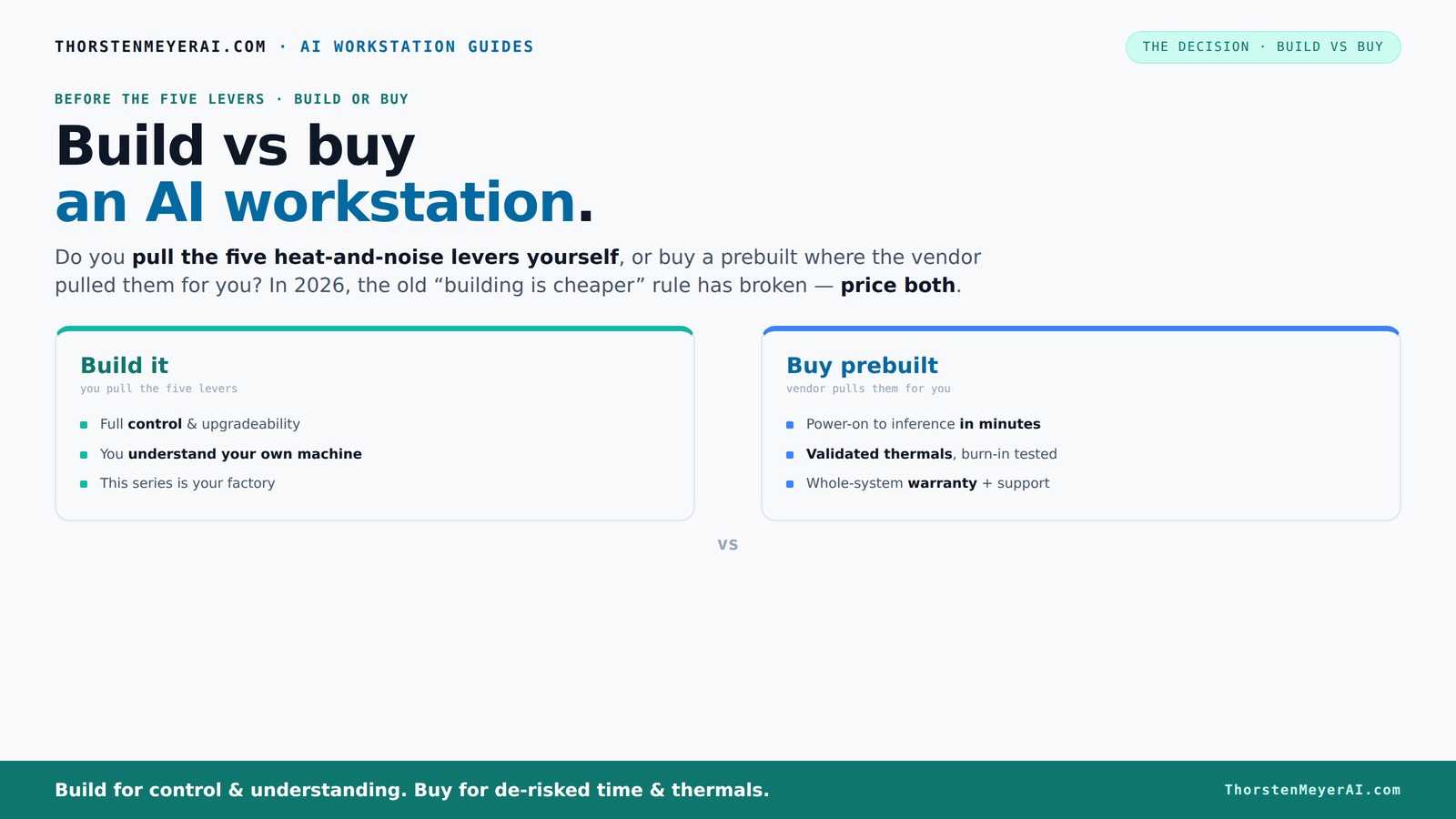
Build vs buy
an AI workstation.
The real question behind this whole series: do you pull the five heat-and-noise levers yourself, or buy a prebuilt where the vendor pulled them for you? And in 2026, the old “building is cheaper” rule has broken. Match your situation in Part 3.
Why the cost game has flipped in 2026
Building your own AI workstation used to be cheaper, period. But today, component shortages and bulk buying have changed the math. DDR5 RAM, high-end GPUs, and SSDs are more expensive, with prices up by 20-40% since 2024. A DIY build that once cost $1,000 now easily hits $1,250 or more.
Meanwhile, large vendors bought components early and in volume, locking in lower prices. They pass some savings to you, or at least offer competitive prices. So, often, the prebuilt is just as affordable — or even cheaper — than sourcing parts yourself. That’s a real twist, changing the game from “build always cheaper.”
Recent data shows that a high-end AI workstation with dual GPUs can cost over $4,000 if pieced together today. However, prebuilt options from vendors like Lambda or Puget are often priced similarly or even lower, thanks to their economies of scale, validated thermals, and support services. This shift means that the traditional cost advantage of DIY is shrinking, and in some cases, reversing. It emphasizes that the decision is now less about raw expense and more about value, reliability, and speed of deployment.
This change impacts the tradeoffs: while building might still offer customization, the cost savings are less clear-cut, especially when factoring in time and risk. The implications are significant for anyone trying to maximize ROI—sometimes, spending a little more upfront on a prebuilt system can save money in the long run by reducing troubleshooting, delays, and hardware issues. The implications are significant for anyone trying to maximize ROI—sometimes, spending a little more upfront on a prebuilt can save money in the long run by reducing troubleshooting, delays, and hardware issues.
As an affiliate, we earn on qualifying purchases.
The five levers: who pulls the heat and noise control?
Making an AI workstation run cool and quiet is a game of five levers: undervolting the GPU, matching the cooler, optimizing airflow, tuning fan curves, and placement. When you buy prebuilt systems, the vendor pulls these levers for you through extensive testing and tuning. When you buy prebuilt, the vendor pulls these levers for you through extensive testing and tuning. They often use custom water cooling or advanced airflow solutions, which significantly reduce noise and thermal throttling, leading to more reliable performance under load. This matters because thermal management directly influences hardware lifespan, stability, and performance consistency, especially during long training sessions or intensive inference workloads. Good thermal control also minimizes noise pollution, making the environment more comfortable and conducive to focus.
If you build yourself, you get to pull these levers. You choose a quieter GPU, undervolt it with dedicated tools, select a cooler that balances noise and cooling capacity, and set up airflow paths tailored to your room and case. This level of control can lead to superior acoustic and thermal performance if done correctly, but it requires a solid understanding of hardware tuning, patience for trial-and-error, and an investment of time. The tradeoff is that DIY thermal tuning, while potentially more optimized, introduces complexity and risk—missteps can lead to overheating, system instability, or increased noise if not managed properly.
For example, a prebuilt system from BIZON advertises 30% lower noise levels and temperatures thanks to factory tuning and integrated cooling solutions. Prebuilt systems often include optimized thermal management for better performance and longevity. DIY enthusiasts can match or surpass these results by selecting high-quality coolers, fan profiles, and undervolting strategies, but only with careful testing and adjustments. The key takeaway is that thermal management is not just about keeping components cool; it’s about balancing performance, longevity, and noise—something that prebuilt systems optimize through professional tuning, while DIY approaches require active management and expertise.
As an affiliate, we earn on qualifying purchases.
Frequently Asked Questions
Is it cheaper to build or buy an AI workstation in 2026?
Due to component shortages and bulk buying, prebuilt AI workstations often match or beat DIY costs now. Always price both options with your specific specs before deciding.Will a prebuilt system have the GPU and VRAM I need?
Prebuilts from vendors like Lambda or Puget are often configured with the latest GPUs and high VRAM options, suited for demanding AI workloads. Custom builds give more flexibility but require careful selection.How much performance do I lose if I buy prebuilt?
Most prebuilt systems are tested for thermal stability and performance, so you won’t lose much—sometimes none. However, DIY tuning can squeeze out extra performance if you know what you’re doing.Are prebuilts easier to upgrade later?
Yes, generally. Prebuilts often restrict upgrades to specific components, but they’re designed for easier expansion. DIY systems can be upgraded more freely but require more effort and compatibility checks.Do prebuilts come with the OS and drivers?
Almost always. Prebuilt systems ship with the OS installed and tested drivers, making setup quick. DIY builds require you to install and configure everything yourself.As an affiliate, we earn on qualifying purchases.
Conclusion
The decision to build or buy hinges on what matters most to you: speed and support or control and customization. To explore more about luxury home wellness products and how they relate to your workspace environment, check out our homepage. As component prices evolve, the best choice balances your workload, patience, and budget.
Remember, a well-tuned AI workstation isn’t just about specs — it’s about how it performs day after day, under load. For more insights on optimizing your setup, visit sleepwellliving.com. Make that decision count, and your AI projects will thank you for it.
As an affiliate, we earn on qualifying purchases.
Halloween Picks
halloween
As an affiliate, we earn on qualifying purchases.